------------------------------------------------------------------------------------------------------------------
【Voltage Compatibility】
When using electrical appliances, please note that they are designed for Japanese voltage specifications (90-110V), so if you use them with a different voltage, it may cause a malfunction.
【Plug Type】
Our products use Japanese plug types (A or B type).
Please use a conversion adapter if necessary.
【Important Note on Transformers and Adapters】
A transformer adjusts voltage to match your device’s requirements.
A conversion adapter only changes the plug shape and does not adjust voltage.
Using only a conversion adapter without a transformer may result in damage to the product.
【Liability】
We are not responsible for malfunctions or damages caused by improper use, such as operating the product without a transformer.
------------------------------------------------------------------------------------------------------------------
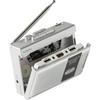
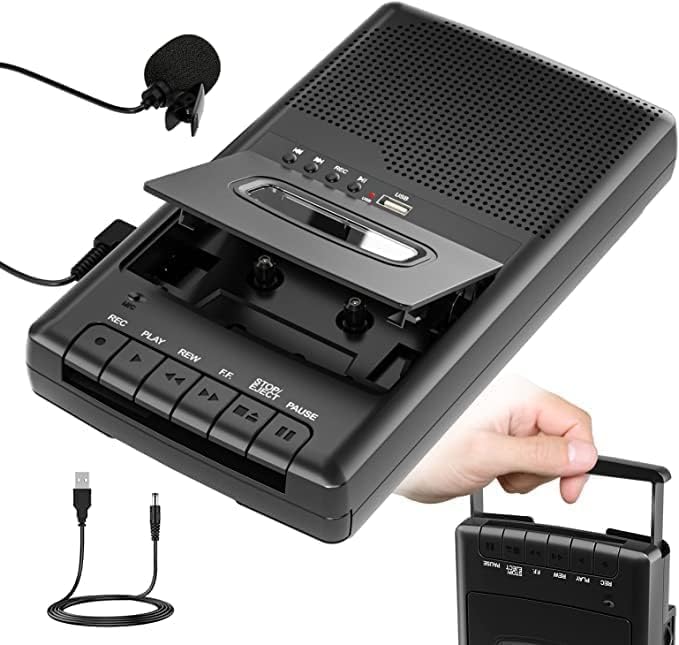
Cassette Tape Player - MP3 Conversion and Digitalization Compatible Cassette Player, Recording and Playback | USB Recording, Built-in Microphone, Speaker, 3.5mm Earphone Jack, Portable, No PC Required
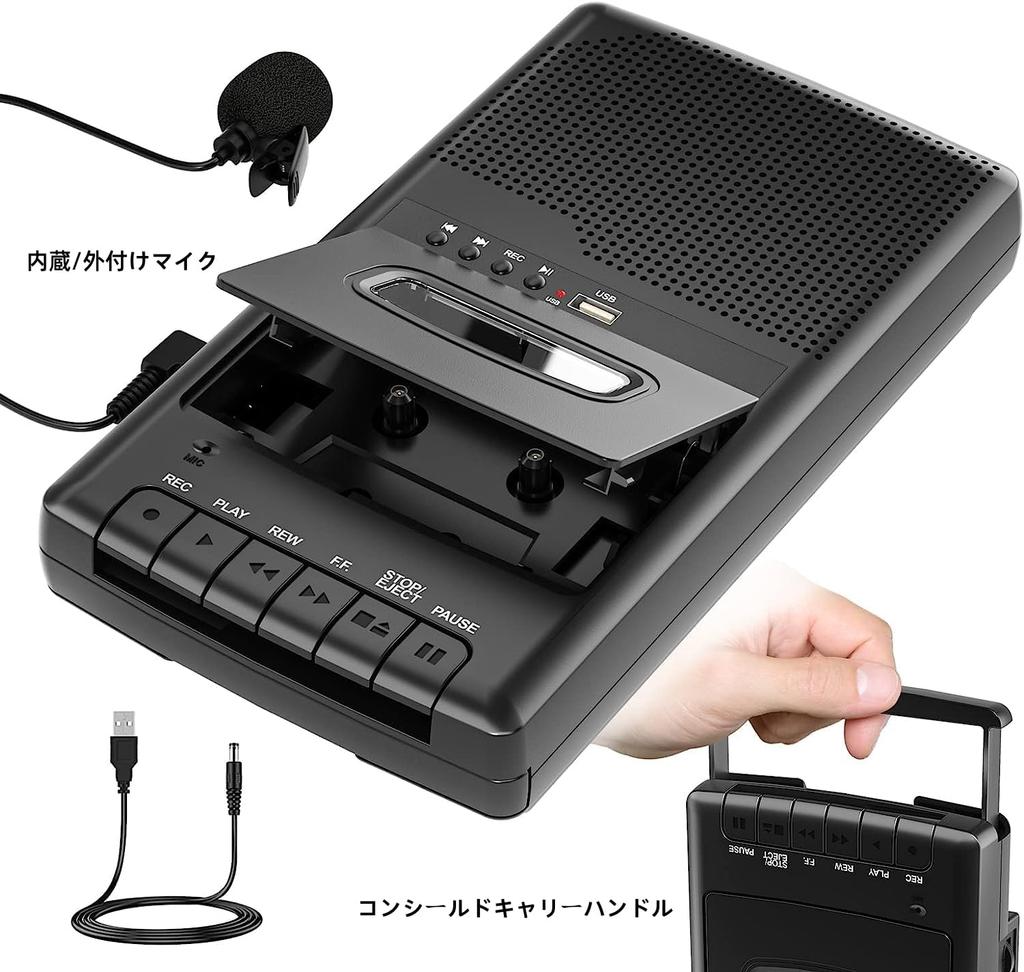
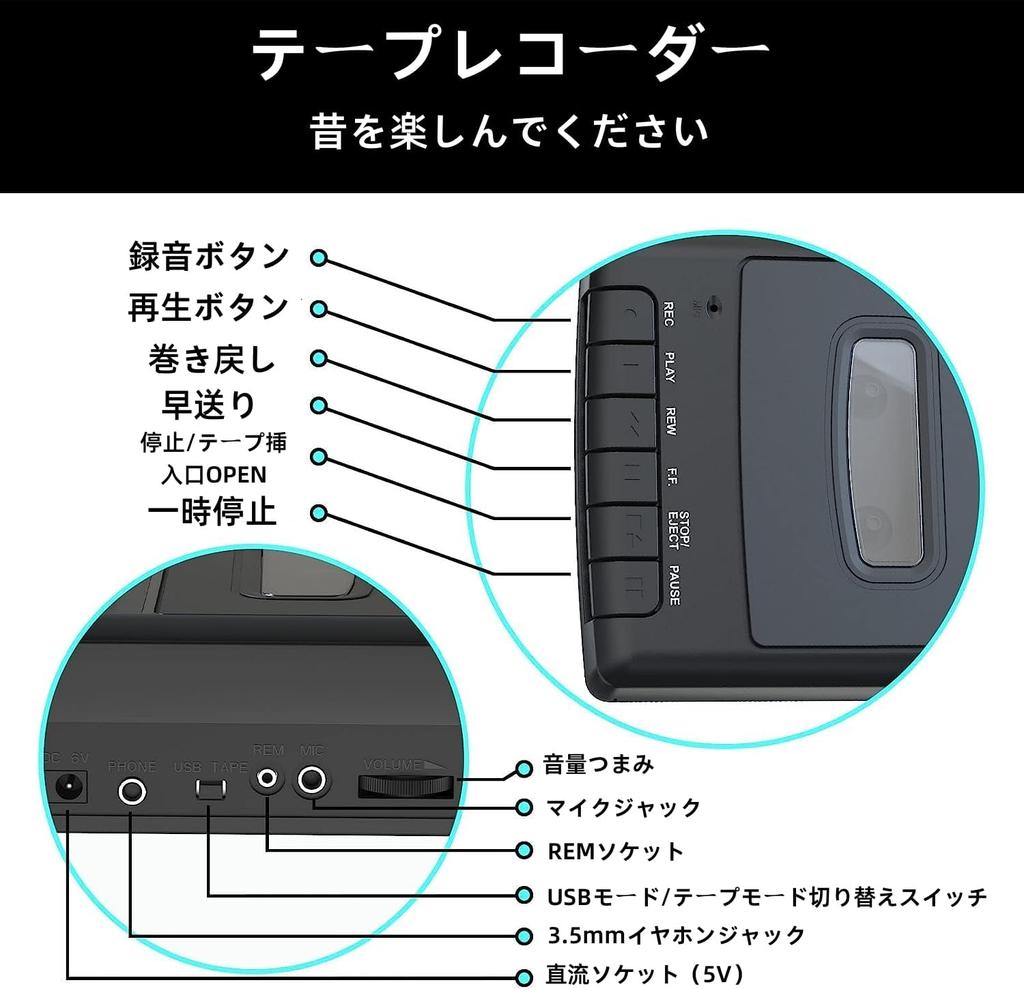
"High-quality sound recording support | Also useful as a cassette tape recorder" The built-in microphone and included pin microphone allow you to clearly record classes, meetings, and interviews. As a cassette tape recorder that can record directly to cassette tape, it is also ideal for professional use.
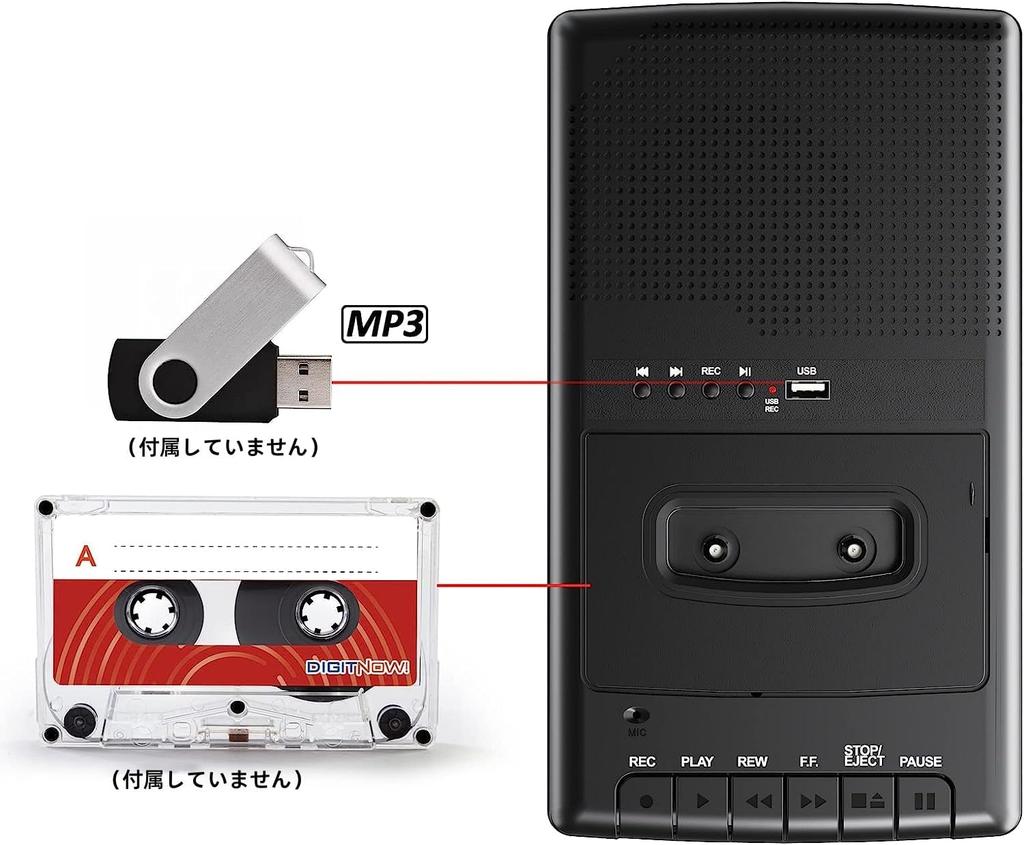
Multi-function cassette player - Recording, playback, and USB conversion - 3-in-1 cassette player, recorder, and converter all in one. Combining retro charm with modern convenience, it can be used for a wide range of purposes, from listening to music to recording documents.
"Supports 3 power sources & 3.5mm earphone connection" - Can be powered by a DC adapter (sold separately) or four AA batteries (sold separately) or the included USB cable. With a 3.5mm earphone jack, this cassette tape player lets you enjoy your own personal music space.
Equipped with USB recording and tape playback modes | Supports a wide range of uses: Supports USB playback and recording, so it can be used not only as a cassette player but also as a playback device from a USB device. An external microphone can also be connected, allowing for flexible use as a tape recorder.
🎧 3-in-1! Playback, recording, and MP3 conversion all in one! Digitize your old cassette tapes with ease! This multi-functional model combines the functions of a cassette player, tape recorder, and MP3 converter. Record directly to a USB flash drive without the need for a computer, making it easy for anyone to use. 🔹【Key Functions】 ✅MP3 Conversion Support | Record cassettes directly to USB ・No PC or app required ・Save MP3s to USB memory with the push of a button ・Easily digitally save cassette audio ✅High-Quality Recording Support | Built-in & External Microphone ・Easy recording with the built-in microphone ・Includes a pin microphone for classes, meetings, and interviews ・Can also record to cassette tapes ✅USB Recording & Playback Support | Play audio (MP3) stored on USB memory ・Not only can it be used for recording, but it can also be used as a USB player ✅3.5mm Earphone Jack & Built-in Speaker ・No external speakers required for playback ・Connect headphones for quiet music listening ✅Dual Power Supply Support | Can be used indoors or outdoors ・4 D batteries (sold separately) ・AC adapter compatible (sold separately) ・Lightweight and compact design for easy portability 📦【Product
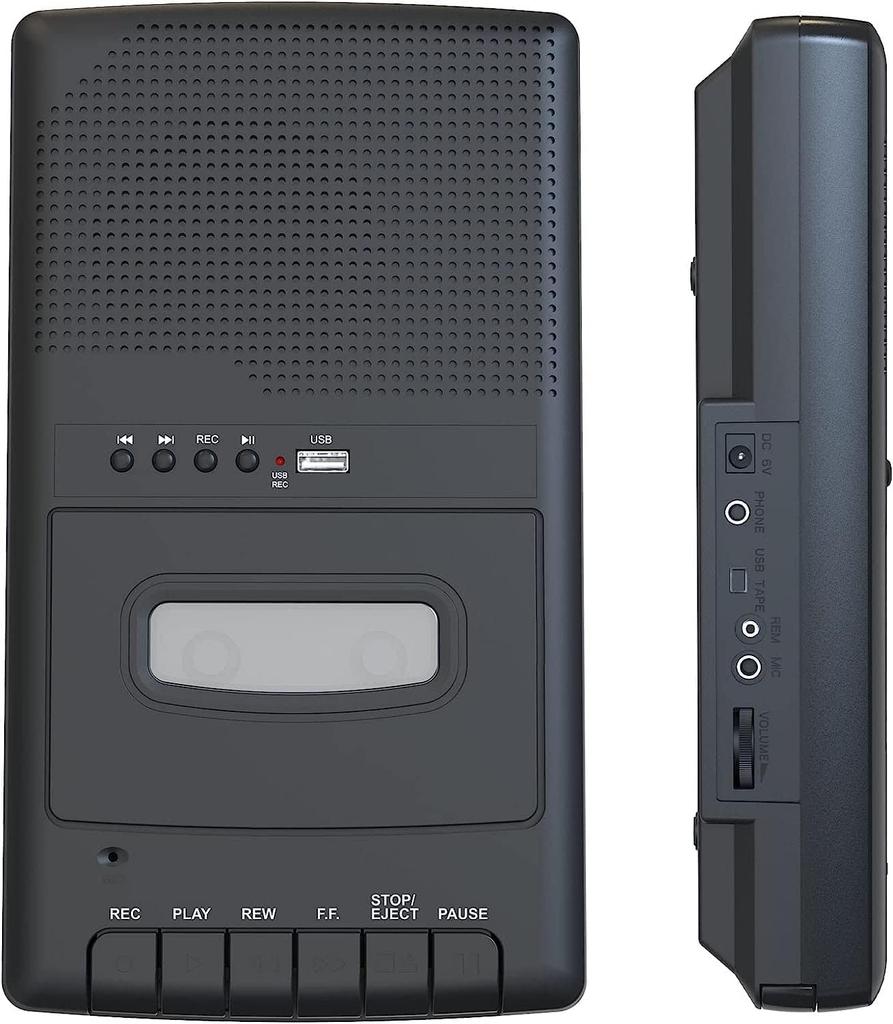
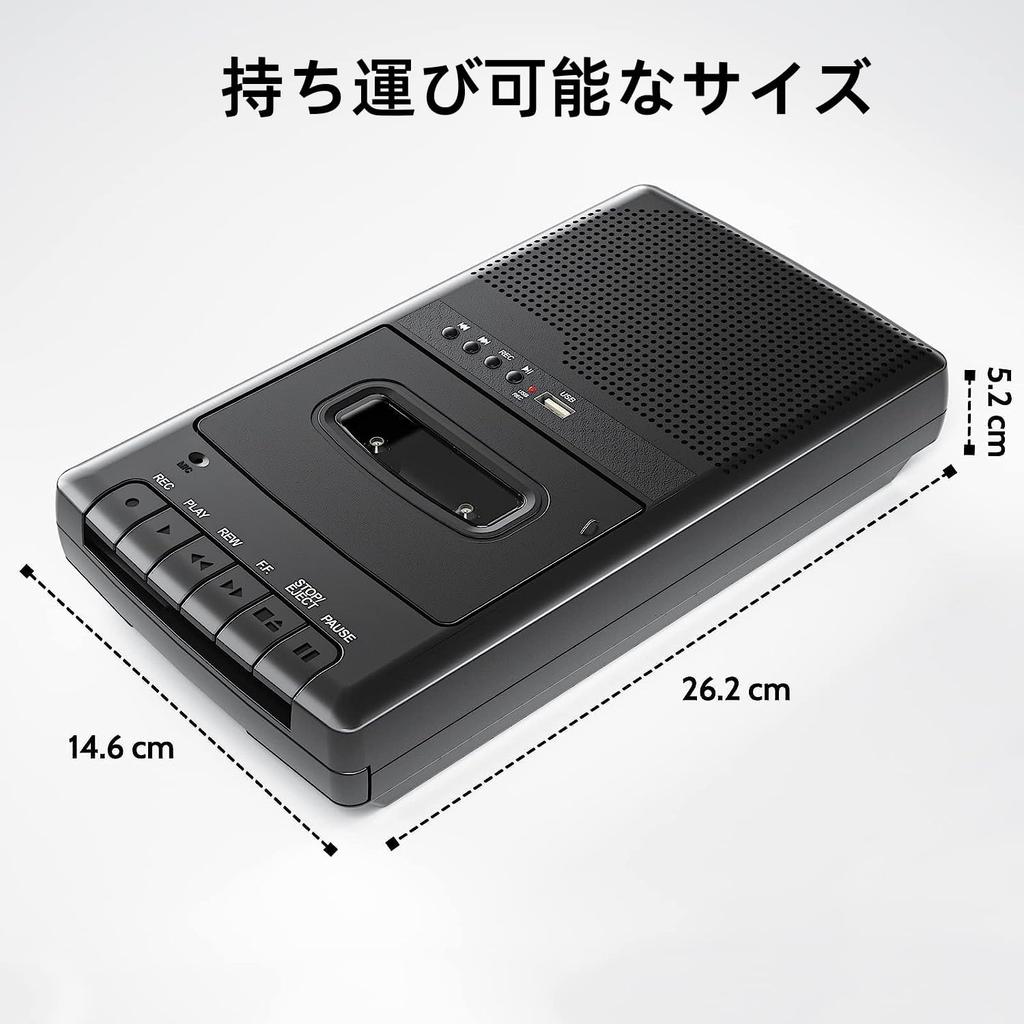
Specifications: Playback Support: Cassette Tape Recording Support: USB Memory (MP3 Format) Connections: USB Port, 3.5mm Earphone Jack, Microphone Jack Power Source: 4 x D-cell batteries or USB power supply (DC adapter also available) Speaker: Built-in Size: Compact and portable 📝 Recommended for: Those who want to digitally preserve their precious cassette audio recordings Those who want to record classes, meetings, and interviews Those who want to enjoy retro music while also digitizing Those looking for a recording device that is easy to operate and does not require a PC 🎁 Recommended as a gift! This is a great gift for music-loving family members or elderly people. Cassette Tape/USB Player Important Precautions for Use Check the following points to ensure a comfortable use. 🔴 Most Important Operation Checks: Always check the "USB Mode/Tape Mode Switch" on the side before use! When using a cassette tape → Switch to "Tape Mode" When using a USB memory → Switch to "USB Mode" *If this setting is incorrect, the device will not function at all. 📼 Cassette Tape
Precautions when using cassette tapes 1. Handling the tape Tape orientation: Insert the tape with the label facing up and the tape window facing the machine. If the lid won't close: It may be facing the wrong way. Remove the tape and check. 2. Basic operation rules Before switching to another operation while the tape is running (playback/recording/rewind/fast forward), be sure to press the "Stop" button to completely stop the tape. Switching operations suddenly may cause the tape to tangle or malfunction. 3. Care after use After use, be sure to remove the cassette tape and store it in its case. Leaving it in the player for an extended period of time may cause the tape to tangle or wrap around itself, resulting in malfunction. 4. Notes on recording When using the built-in microphone, speak within 30 cm of the device. Keep the surrounding area quiet while recording. You cannot record on a tape with the recording protection tab (the plastic piece at the bottom of the tape) removed. 💾 Notes on using USB memory 1. Basic operations Always remove the USB memory after use and store it in a safe place. Supported formats: FAT32, up to 32GB capacity
Compatible file formats: MP3, WAV format 2. Notes on playback USB memory sticks containing files other than MP3 may not be recognised or may not play properly Playback order may vary depending on the creation method and file The USB memory stick may not function properly depending on its specifications, format, and usage 3. Troubleshooting If there is no reaction when inserting the USB memory stick: Check that the mode switch is set to "USB mode" Try using a different USB memory stick or file Check that the USB memory stick is recognised properly by your computer 🔋 General notes 1. Checking when no sound is heard Check that the mode switch is in the correct position Turn the volume knob to the right to increase the volume Check the remaining battery power (replace with new batteries) If using USB power, check the connection 2. About power supply Remove the batteries if not using for a long period of time Avoid mixing alkaline batteries and rechargeable batteries Do not mix new and old batteries 3. Other Avoid using or storing in hot and humid places Take care not to drop or shock Do not use near water or liquids
If the issue persists after checking the above precautions, please contact customer service.




 No-delivery refund
![SANSUI Bluetooth Equipped Radio Cassette Player Card MP3 Playback [USB/SD Compatible] SCR-B2 [RD]](https://img.joomcdn.net/0b452ad3e00f2ab6a51dd412b3bf6ebea06d5fc3_100_75.jpeg)