Feature:
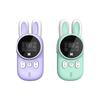
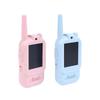
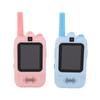
1. Fashionable, colorful children"s walkie talkies, with super cute rabbit shape design, is very attractive to boys and girls.
2. Durable and non‑toxic ABS plastic material, the emission power is 0.5W, the radiation is extremely low, and it is safe for children to use.
3. For indoor and outdoor use, each receiver uses 4pcs AAA batteries (not included) to work.
4. With minimal buttons and simple interface, it is very easy to operate even for young children.
5. A simple all function button on the side provides smoothly presses for children of all ages, and they will communicate easily.
6. Whether playing on the campsite or in the house, children use walkie‑talkies to communicate with family and friends.
7. Enjoy continuous calls up to 3 km, clear voice, good gift for your child, niece or nephew,
8. Built‑in LED flashlight, intuitive LCD display, for VOX function and volume control, for CTCSS system, protect your child from outside interference.
9. The structure is compact, lightweight, suitable for small hands, using a lanyard, they are easy to carry around, and not easy to lose.
Specification:
Item Type: Children Walkie TalkiesModel: MX-XJ11Material: ABSColor: BluePinkWeight: Approx. 343.0g12.1ozFrequency: 409.7500-409.9875MHz
Frequency Stability: +-5ppm
Number of Channels: 20
Communication Cistance: 1-3km (depending on geographical location and environment)
Encryption: for CTCSSDCS
RF Output Power: less than 0.5W
Working Voltage: 4.3V-6V
Battery Type: 4pcs AAA Batteries x2 (not included)
How to use:
1. There is a battery cover on the back of the walkie-talkie, which can be installed when you open it.
2. You need to install 4 AAA alkaline batteries in each of the two device battery boxes.
3. Close the battery cover and press it down, then push it up to ensure correct installation.
4. Press and hold the powermenu button for 3-4 seconds to start the walkie-talkie.
5. In the standby mode, press the menu key MENU to enter the channel setting. At this time, the channel number on the screen starts to flash. Use the up and down keys to select the channel. After setting, press PTT to save the setting.
6. Press the MENU button twice to enter the group mode for (CTCSS), at this time the group icon on the LCD screen flashes, use the up and down keys to select the group for (CTCSS).
7. In the standby mode, press the menu key MENU three times to enter the voice control function for (VOX) setting, enter the setting page, there will be OF, 1, 2, 3 sensitivity options, use the up and down keys to select.
8. Press the menu key MENU four times to enter the call sound selection setting, there are 1-10 call tones to choose from.
9·Press the menu key MENU five times to enter the key sound setting, use the up and down keys to set, when the selection is ON, the key sound is turned on, and when the OF is selected, the key sound is turned off.
10. In the standby mode, press the menu key MENU six times to enter the transmission end sound selection mode, use the up and down keys to select, press the up and down keys to select ON when it is turned on, and select OF to turn it off, and press the PTT button to save.
11. In the standby mode, press the MENU key seven times to exit the setting page, or press the PTT key to exit the setting page..
Package List:
2 x Walkie Talkies2 x Lanyard1 x Sticker1 x Manual
Note:
Please note that the new type and old type of this product will be sent randomly, and make sure you will not mind before ordering.








 No-delivery refund